
Let AI Handle the Numbers—You Keep the Savings
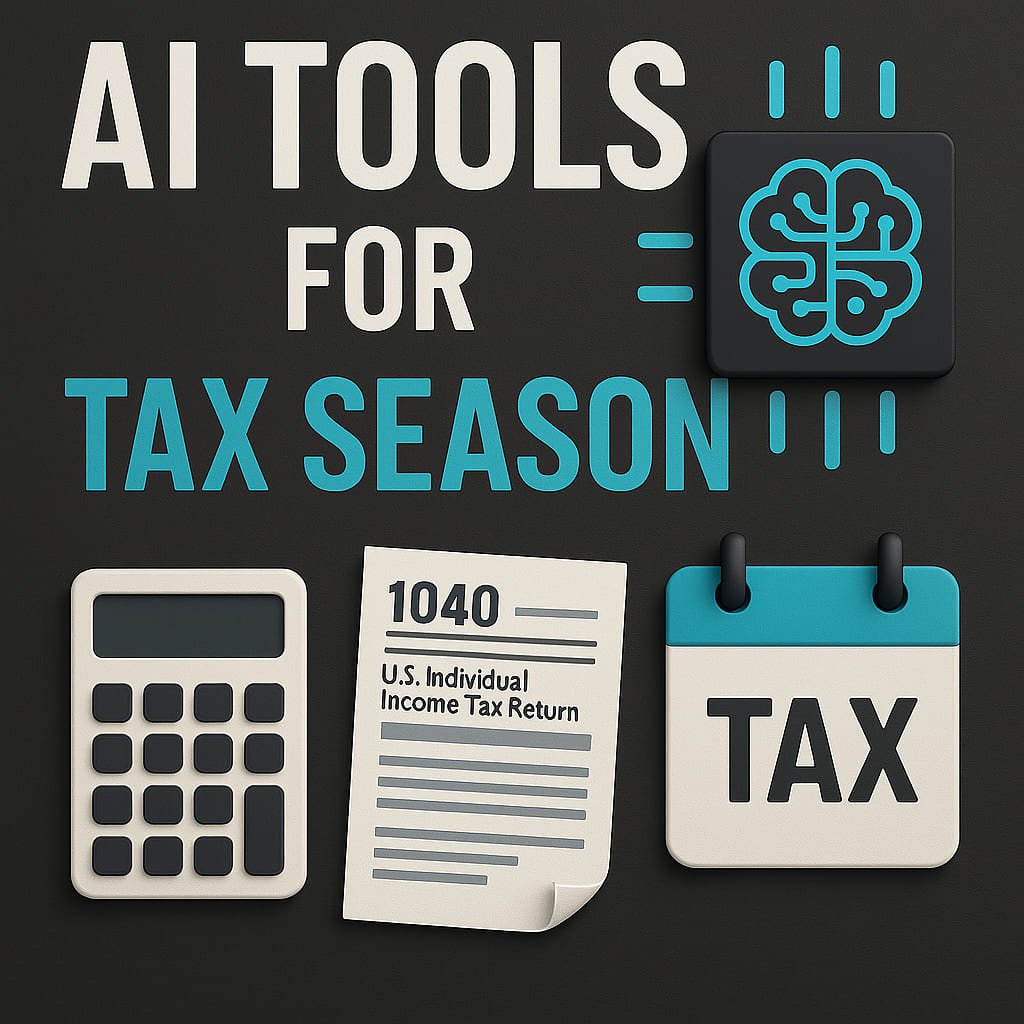
Tax season in the United States generates billions in tax preparation software revenue each year, and AI-powered tax software is rapidly transforming how individuals, freelancers, investors, and small businesses file.
The best AI tax software now offers:
• Automated deduction detection
• Crypto gain tracking
• Multi-state compliance
• Sales tax automation
• Audit defense tools
• QuickBooks and payroll integration
This guide compares the top AI tax filing software based on:
• Pricing transparency
• Filing complexity support
• Audit protection features
• Business vs personal tax capabilities
• Best fit by filer type
If you’re comparing tax software for 2026, this buyer-focused breakdown will help you choose the right platform.
Comparison Table: AI Tools for Tax Season at a Glance
| Tool | Key Features | Pricing | Best For |
|---|---|---|---|
| TurboTax | Guided filing, audit support, deduction maximizer | 0–120+ | Complex returns, freelancers |
| H&R Block | In-person support, accuracy review, income/expense tracking | 0–115+ | Beginners, hybrid filers |
| Cash App Taxes | Free federal/state filing, W-2 import, deduction finder | Free | Simple returns, budget-conscious |
| TaxAct | AI error-checking, prior-year import, investment tracking | 0–75+ | Investors, mid-tier complexity |
| FreeTaxUSA | Affordable federal returns, audit assistance, prior-year support | 0–15 (state) | Budget filers, straightforward cases |
| Watson Tax Online | AI-driven tax planning, multi-state filing, crypto tax support | 50–200+ | Investors, crypto traders |
| TaxSlayer | Military discounts, self-employed tools, easy navigation | $0–55+ | Gig workers, veterans |
| Drake Tax | Professional-grade, bulk filing, client portal | $345+ (pro) | Tax professionals, small businesses |
| ProSeries Tax | Integration with QuickBooks, real-time diagnostics, e-filing | $350+ (pro) | Accountants, complex business taxes |
| TaxJar | Automated sales tax calculations, multi-state compliance | $19–99+/month | E-commerce sellers, sales tax |
Looking for broader firm automation? Read our AI Accounting Software Guide.
How to Choose the Right AI Tax Software (US Filing Guide 2026)
Before selecting a tax platform, evaluate these five factors:
1️⃣ Filing Complexity
Are you filing:
• W-2 only
• 1099 self-employed income
• Rental property
• S-Corp or LLC
• Multi-state returns
• Crypto capital gains
Basic filers may need free software. Business owners require advanced automation.
2️⃣ Pricing vs Deduction Recovery
If AI software costs $120 but finds $1,000 in additional deductions, ROI is obvious.
Focus on:
• Deduction maximization
• Audit defense
• Error detection
Cheaper software isn’t always better.
3️⃣ Audit Support & IRS Compliance
Look for:
• IRS-authorized e-file
• Audit defense add-ons
• Real-time error diagnostics
• State compliance automation
Audit protection increases peace of mind.
4️⃣ Integration with Accounting & Payroll
Freelancers and business owners should ensure compatibility with:
• QuickBooks
• Stripe
• PayPal
• Gusto
• Shopify
• Amazon
Manual data entry increases filing risk.
See our AI Accounting Software Pricing Guide for broader bookkeeping automation.
5️⃣ Long-Term Tax Planning
Some AI tax tools now offer:
• Real-time tax projections
• Estimated quarterly payment alerts
• Withholding optimization
Planning tools are more valuable than once-a-year filing.
The 10 Best AI Tools for Tax Season Explained
1. TurboTax
Features:
- AI-Powered Deduction Finder: Scans your entries to uncover missed deductions.
- Audit Support: Offers step-by-step guidance if audited.
- Guided Experience: Asks plain-English questions to simplify filing.
Pros: User-friendly, excellent for freelancers, integrates with QuickBooks.
Cons: Expensive for complex returns; add-ons add up quickly.
Pricing: Free (simple returns) to $120+ (Self-Employed).
Alternatives: H&R Block, TaxAct.
Use Case: Ideal for freelancers with multiple 1099s or rental property income.
2. H&R Block
Features:
- Accuracy Review: AI checks for errors before filing.
- Hybrid Support: Upload documents online or visit a local office.
Pros: Strong customer support, transparent pricing.
Cons: Limited deduction insights compared to TurboTax.
Pricing: Free (basic) to $115+ (Premium).
Alternatives: TurboTax, Cash App Taxes.
Use Case: First-time filers who want the option to ask questions in person.
3. Cash App Taxes (Formerly Credit Karma Tax)
Features:
- 100% Free: No upsells for federal or state returns.
- W-2 Import: Snap a photo of your W-2 for auto-entry.
Pros: Zero cost, intuitive interface.
Cons: Only handles simple returns (no self-employed support).
Pricing: Free.
Alternatives: FreeTaxUSA, TaxSlayer.
Use Case: Students or W-2 employees with straightforward filings.
4. TaxAct
Features:
- AI Error Check: Flags mistakes in real time.
- Investment Tracking: Automatically imports stock transactions.
Pros: Affordable mid-tier option, robust support.
Cons: Interface feels dated.
Pricing: 0 (basic) to 75+ (Premier).
Alternatives: TurboTax, H&R Block.
Use Case: Investors with dividend income or stock sales.
5. FreeTaxUSA
Features:
- Low-Cost State Filing: $15 per state return.
- Prior-Year Import: Pulls data from previous filings.
Pros: Budget-friendly, audit defense add-on (40).∗∗Cons:∗∗Nolivechatsupport.∗∗Pricing:∗∗Free(federal),40).∗∗Cons:∗∗Nolivechatsupport.∗∗Pricing:∗∗Free(federal),15 (state).
Alternatives: Cash App Taxes, TaxSlayer.
Use Case: Filers with basic needs and tight budgets.
6. Watson Tax Online
Features:
- Crypto Tax Analysis: Tracks gains/losses across exchanges.
- Multi-State Filing: For remote workers or frequent movers.
Pros: Advanced AI insights, great for complex portfolios.
Cons: Steep learning curve, pricey.
Pricing: 50–50–200+.
Alternatives: TurboTax Premier, TaxAct.
Use Case: Day traders or those with crypto investments.
7. TaxSlayer
Features:
- Self-Employed Hub: Dedicated tools for gig workers.
- Military Discount: 50% off for active service members.
Pros: Affordable, easy navigation.
Cons: Limited live support.
Pricing: 0(SimplyFree)to0(SimplyFree)to55+ (Premium).
Alternatives: FreeTaxUSA, Cash App Taxes.
Use Case: Uber drivers or veterans needing specialized help.
8. Drake Tax
Features:
- Bulk Filing: Manages multiple returns at once.
- Client Portal: Secure document sharing for professionals.
Pros: High-volume capabilities, trusted by CPAs.
Cons: Not for casual users; expensive.
Pricing: $345+ (professional tier).
Alternatives: ProSeries Tax, TaxAct Professional.
Use Case: Accountants handling dozens of client returns.
9. ProSeries Tax
Features:
- QuickBooks Sync: Imports financial data seamlessly.
- Diagnostic Tools: Real-time error detection.
Pros: Powerful for business taxes, scalable.
Cons: Requires training to master.
Pricing: $350+ (professional).
Alternatives: Drake Tax, TaxJar.
Use Case: Small businesses with complex deductions.
10. TaxJar
Features:
- Sales Tax Automation: Calculates rates for 50 states.
- Amazon/eBay Integration: Syncs marketplace sales data.
Pros: Saves hours on sales tax compliance.
Cons: Limited to sales tax (not income tax).
Pricing: 19–19–99+/month.
Alternatives: Avalara, Quaderno.
Use Case: E-commerce sellers needing automated sales tax filings.
How to Choose Right AI Tools for Tax Season
- Assess Your Complexity: Simple W-2? Use Cash App Taxes. Self-employed? TurboTax or TaxSlayer.
- Budget: Free options exist, but paid tools offer deeper AI insights.
- Integration Needs: QuickBooks users should lean toward ProSeries.
- Support Preferences: Need hand-holding? H&R Block’s hybrid model shines.
- Specialty Requirements: Crypto? Sales tax? Prioritize niche tools like Watson Tax or TaxJar.
Business owners who manage recurring clients, invoices, or subscription revenue should also compare customer data platforms in our AI CRM Tools Pricing Comparison Guide to ensure accurate revenue reporting during tax season.
ROI Example: Self-Employed Freelancer Earning $120,000
Assume:
• $120,000 gross income
• $30,000 eligible deductions
• 24% marginal tax bracket
If AI deduction detection identifies $2,500 in overlooked expenses:
$2,500 × 24% = $600 tax savings.
If tax software costs $120, net benefit = $480.
Now factor reduced audit risk and time savings.
For small business owners, AI software is often risk insurance, not just filing convenience. Freelancers may also benefit from AI Tools for Small Businesses Under $100.
Best AI Tax Software by Filer Type
W-2 Employees → Cash App Taxes or FreeTaxUSA
Freelancers / 1099 Workers → TurboTax Self-Employed or TaxSlayer
Crypto Investors → Watson Tax Online
E-commerce Sellers → TaxJar
Small Business Owners → ProSeries or Drake Tax
Multi-State Filers → H&R Block or Watson Tax
Matching tool to filer profile improves ROI.
Pro Tips for Maximizing AI Tools for Tax Season
- Organize Early: Use apps like Expensify to track receipts year-round.
- Double-Check AI Suggestions: Don’t blindly accept deductions—cross-reference with IRS guidelines.
- Update Regularly: Tax laws change; ensure your software is current.
- Combine Tools: Pair TaxJar (sales tax) with TurboTax (income tax) for full coverage.
Ethical Considerations
- Data Privacy: Opt for tools with end-to-end encryption (e.g., TurboTax).
- Bias Risks: AI might overlook niche deductions—always verify.
- Transparency: Choose platforms that explain how their AI works.
The Future of AI in Tax Season
By 2030, expect:
- Real-Time Tax Updates: AI adjusts withholdings automatically as you earn.
- AI Auditors: Instant IRS compliance checks before filing.
- Blockchain Integration: Immutable records for crypto/asset tracking.
Accountants comparing platforms should review our AI Tools for Financial Analysts guide.
Conclusion
AI tax software is no longer just a filing assistant — it is a financial optimization tool.
The best AI tax platforms:
• Maximize deductions
• Reduce audit risk
• Automate compliance
• Integrate with business systems
• Provide long-term tax planning insights
Whether you’re filing a simple W-2 or managing multi-state business income, the right tax software can save time, reduce errors, and preserve more of your earnings.
Start with your complexity level — then choose the platform that matches your financial profile.
FAQs for AI Tools for Tax Season
Is paid tax software worth it?
If paid software uncovers additional deductions or prevents costly filing errors, it can easily pay for itself — especially for freelancers and small business owners.
What is the best AI tax software for self-employed individuals?
Freelancers often prefer TurboTax Self-Employed or TaxSlayer due to expense categorization and 1099 automation.
Can AI tax software reduce audit risk?
Yes. Many platforms include real-time error detection and audit defense add-ons that reduce filing mistakes.
Which tax software supports crypto and multi-state filing?
Watson Tax Online and TurboTax Premier offer strong crypto tracking and multi-state support.