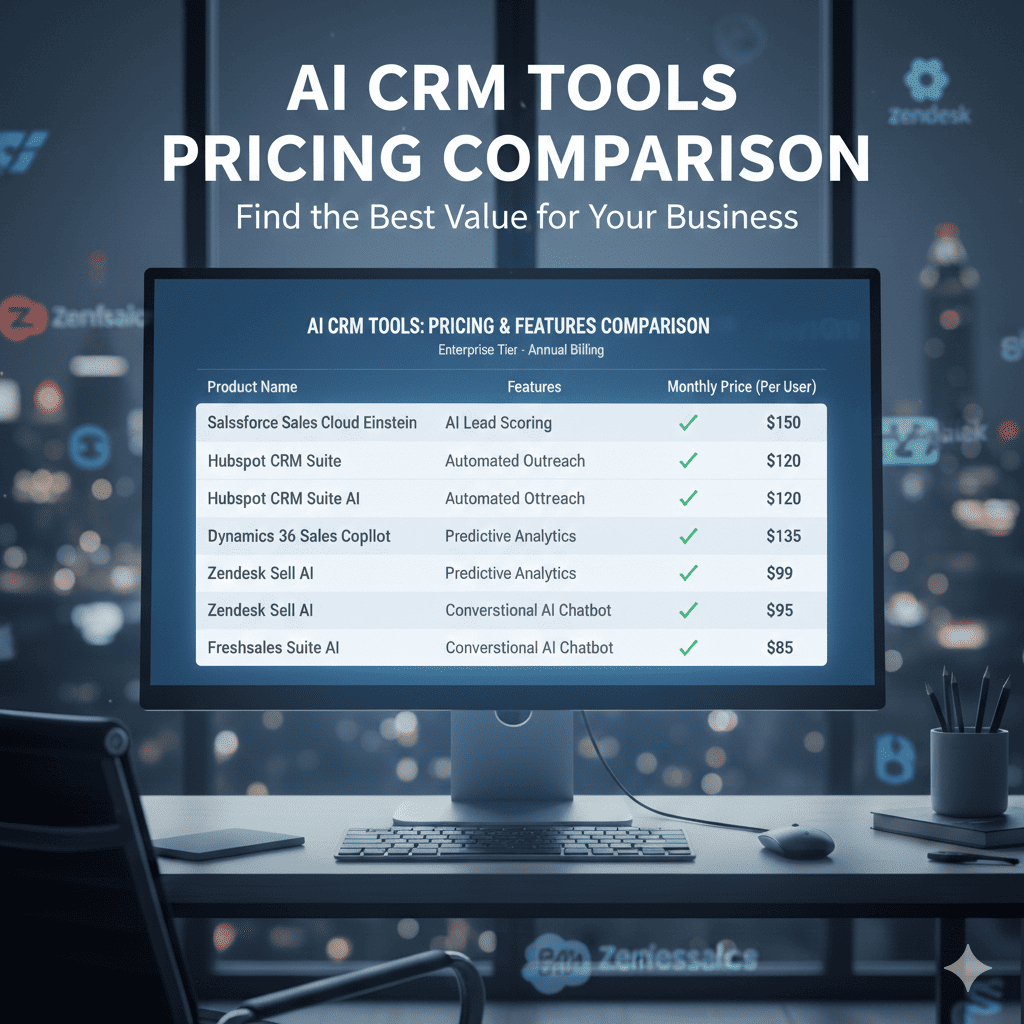
Affordable AI That Cuts Costs and Scales Your Business Smarter
Customer Relationship Management (CRM) software has become essential for small businesses and SaaS teams in the United States.
AI-powered CRM platforms now automate:
• Lead scoring
• Email follow-ups
• Sales forecasting
• Pipeline management
• Customer segmentation
• Workflow automation
While enterprise CRM systems can cost hundreds per user per month, many AI-enabled CRM tools offer scalable plans under $100 per user per month.
This guide compares the best AI CRM tools based on:
• Pricing transparency
• AI capabilities
• Cost per user
• ROI potential
• Team size suitability
• US-focused business use cases
If you are evaluating CRM software for revenue growth, this structured comparison will help you choose strategically.
Quick Recommendation Summary
Looking for a fast answer?
• Solo founders → Zoho CRM or Pipedrive
• Growing sales teams (3–10 reps) → HubSpot Starter or Freshsales
• SaaS startups → Close CRM or HubSpot
• Enterprise organizations → Salesforce Sales Cloud
Scroll below for full pricing comparison and ROI breakdown.
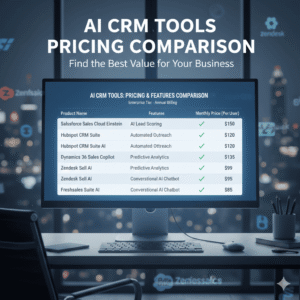
AI CRM Pricing Comparison Table (US Market)
| CRM Tool | Starting Price (Monthly) | AI Features Included | Best For | Ideal Team Size |
|---|---|---|---|---|
| HubSpot CRM | $20–$50/user | AI email, lead scoring | SMBs & startups | 1–15 |
| Salesforce Sales Cloud | $75/user | Einstein AI forecasting | Enterprise | 10–100+ |
| Zoho CRM | $20/user | Zia AI assistant | Small teams | 1–20 |
| Pipedrive | $24/user | AI deal insights | Sales-driven SMBs | 2–15 |
| Freshsales | $19/user | Freddy AI scoring | Budget SMBs | 1–20 |
| Monday CRM | $10–$24/user | AI automation | Ops-focused teams | 3–25 |
| Close CRM | $49/user | Built-in AI calling insights | SaaS sales teams | 3–30 |
| Insightly | $29/user | AI relationship insights | Service businesses | 5–25 |
Pricing reflects common US billing tiers.
AI CRM Pricing: Real Cost Scenarios for US Small Businesses
Understanding per-user pricing is only the first step. The real cost of CRM software depends on:
• Team size
• Add-on AI modules
• Contact database size
• Integration requirements
• Support tier
Below are realistic cost examples.
Scenario A: 3-Person Startup Sales Team
Using HubSpot Starter at $45/user:
$45 × 3 users = $135 per month
If CRM improves close rate from 15% to 18%:
On $50,000 monthly pipeline → 3% improvement = $1,500 revenue increase.
CRM cost = $135
Revenue lift = $1,500
Net gain = $1,365
Scenario B: 8-Rep SaaS Team Using Close CRM
$49 × 8 users = $392 per month
If automation reduces manual follow-up time by 3 hours/week per rep:
8 reps × 3 hours × $35/hour = $840 weekly productivity value.
Monthly productivity value ≈ $3,360.
Scenario C: 15-Person Enterprise Team Using Salesforce
$75 × 15 = $1,125 per month
If improved forecasting prevents one lost $20,000 deal per quarter:
Quarterly gain = $20,000
Monthly effective gain ≈ $6,667
Enterprise CRM pays for itself quickly when forecasting improves.
Detailed CRM Breakdown
1. HubSpot CRM (Starter + AI Tools)
Starting around $20–$50 per user per month.
Best for:
• Small businesses
• Agencies
• SaaS startups
• Marketing-led sales teams
AI Features:
• Predictive lead scoring
• Email automation
• Smart workflow triggers
• Pipeline forecasting
Pros:
• Strong integration ecosystem
• Free entry tier
• Easy onboarding
Cons:
• Advanced automation requires upgrades
• Pricing scales with contacts
ROI Potential:
Improved lead follow-up speed can increase close rates by 10–20%.
2. Salesforce Sales Cloud (Einstein AI)
Starting around $75 per user per month.
Best for:
• Large sales teams
• Enterprise B2B companies
• High-ticket SaaS
AI Features:
• Predictive forecasting
• Opportunity scoring
• Automated activity capture
• Advanced reporting
Pros:
• Highly customizable
• Deep ecosystem
• Enterprise-grade scalability
Cons:
• Complex setup
• Higher onboarding cost
ROI:
Improved forecasting accuracy reduces pipeline uncertainty.
3. Zoho CRM (Zia AI)
Starting at $20 per user per month.
Best for:
• Budget-conscious small businesses
• Service providers
• Local US businesses
AI Features:
• Deal predictions
• Workflow automation
• Sales assistant notifications
Pros:
• Affordable
• Strong automation for price
• Easy deployment
Cons:
• Limited enterprise scalability
4. Pipedrive
Starting at $24 per user per month.
Best for:
• Sales-focused teams
• Closing-heavy environments
AI Features:
• AI deal probability
• Activity recommendations
• Sales forecasting
Pros:
• Clean UI
• Sales pipeline clarity
Cons:
• Less marketing integration
For marketing-driven growth strategies integrated with CRM workflows, see AI Tools for Digital Marketers.
5. Freshsales (Freddy AI)
Starting at $19 per user per month.
Best for:
• Small teams needing CRM + support integration
AI Features:
• AI contact scoring
• Workflow automation
• Built-in email tracking
Affordable entry point for AI-enabled CRM.
6. Monday CRM
Starting around $10–$24 per user per month.
Best for:
• Operations-focused teams
• Project + sales alignment
AI Features:
• Automation rules
• Smart alerts
• Workflow recommendations
7. Close CRM
Starting at $49 per user per month.
Best for:
• SaaS outbound sales teams
• High-call volume teams
AI Features:
• Call analytics
• Automated follow-ups
• Email sequences
Close CRM is strong for revenue-focused startups.
8. Insightly
Starting at $29 per user per month.
Best for:
• Consulting firms
• Professional services
AI Features:
• Relationship intelligence
• Project integration
Cost Per User Breakdown
CRM tools are priced per user.
Example:
Team of 5 reps using $49/user plan:
$49 × 5 = $245 per month.
If each rep closes one additional $1,000 deal due to automation:
Revenue increase = $5,000 monthly.
CRM cost becomes negligible relative to the gain.
Hidden CRM Costs Most Small Businesses Miss
AI CRM pricing often appears straightforward — but hidden costs can increase total expense.
Review these carefully:
• Per-contact pricing (HubSpot scales with database size)
• AI feature add-ons
• API access fees
• Reporting modules
• Email sending limits
• Premium support charges
For example:
A CRM plan advertised at $29/user may increase to $79/user once automation and advanced reporting are activated.
Always compare the total cost of ownership (TCO), not entry pricing. Additionally, consider opportunity cost.
Time spent migrating or re-training teams could otherwise be spent closing deals.
Platform stability and long-term alignment should outweigh minor pricing differences.
Monthly vs Annual Billing Comparison
Most CRM tools offer:
• 10–20% annual discount
• Contract-based pricing
• Seat-based scaling
Annual billing lowers per-user cost but reduces flexibility.
Test monthly before committing long-term.
CRM ROI Modeling for Small Businesses
AI CRM improves revenue through:
1. Faster Lead Response
AI-triggered emails improve engagement.
2. Better Lead Qualification
Predictive scoring prioritizes high-value prospects.
3. Improved Pipeline Visibility
Forecasting improves planning.
4. Reduced Admin Time
Automation reduces manual data entry.
Most small businesses see ROI within 60–120 days.
How AI CRM Improves Revenue Predictability
Revenue predictability is often more valuable than revenue spikes.
AI-enabled CRM tools improve predictability by:
• Identifying stalled deals
• Highlighting weak pipeline stages
• Detecting inactivity
• Forecasting revenue by probability
This reduces revenue volatility — which is especially critical for:
• SaaS startups
• Agencies
• Recurring revenue businesses
Accurate forecasting improves hiring decisions, budgeting, and investor reporting.
AI CRM Feature Comparison by Category
Not all AI features are equal. Below is a functional comparison.
Lead Scoring
Best: HubSpot, Salesforce
Good: Freshsales, Zoho
Helps prioritize high-value prospects automatically.
Sales Automation
Best: Close CRM, HubSpot
Good: Pipedrive
Automates email sequences and reminders.
Forecasting & Analytics
Best: Salesforce Einstein
Strong: HubSpot Professional
Improves revenue planning accuracy.
Businesses prioritizing revenue forecasting and reporting should review AI Tools for Data Analysis for advanced analytics tools.
Ease of Setup
Fastest: Zoho CRM, Freshsales
Moderate: HubSpot
Complex: Salesforce
Ease of onboarding matters for small teams without IT support.
Comparing CRM Total Cost of Ownership (TCO)
Entry pricing often underrepresents the real long-term CRM expense.
To calculate Total Cost of Ownership (TCO), include:
• Monthly subscription per user
• Additional AI modules
• Contact database expansion
• Email sending overages
• Integration tools (Zapier, API connectors)
• Training and onboarding time
• Potential migration costs
Example TCO Calculation
5 users on $49/month plan:
$49 × 5 = $245 per month
Annual cost = $2,940
Add optional automation add-on ($20/user):
$20 × 5 = $100 per month
New monthly total = $345
Annual total = $4,140
Over 3 years, CRM investment exceeds $12,000.
This is why selecting the right CRM initially reduces costly platform migration later.
AI CRM vs Traditional CRM: What’s the Difference?
Traditional CRM systems focus on:
• Contact storage
• Manual pipeline updates
• Basic reporting
AI-powered CRM systems add:
• Predictive deal scoring
• Automated next-step recommendations
• Smart email sequencing
• Revenue forecasting
• Pipeline health alerts
For growing US businesses, AI features reduce dependence on manual oversight.
Instead of asking:
“What happened last quarter?”
AI CRM answers:
“What is likely to happen next quarter?”
This forward-looking capability increases strategic planning accuracy.
Best CRM by Team Size
1–3 Users
Zoho CRM
Freshsales
3–10 Users
HubSpot
Pipedrive
Close CRM
10+ Users
Salesforce
HubSpot Professional
CRM Scalability: When to Upgrade Tiers
Many small businesses start with entry-level plans.
However, upgrades may become necessary when:
• Contact database exceeds 5,000 records
• Team size grows beyond 10 users
• Advanced automation is required
• Custom reporting becomes essential
• Multi-region compliance is needed
Upgrading too late can restrict revenue growth.
Upgrading too early increases unnecessary cost.
Best practice:
Upgrade only when revenue gain clearly exceeds subscription increase.
Integration Ecosystem
Consider compatibility with:
• Gmail / Outlook
• Slack
• QuickBooks
• Stripe
• Marketing automation tools
• Customer support platforms
CRM should not operate in isolation.
For broader automation beyond CRM, see:
Best AI Tools for Small Businesses Under $100 Per Month (US Guide).
For marketing-driven growth strategies integrated with CRM workflows, see AI Tools for Digital Marketers.
Common CRM Selection Mistakes
• Choosing based only on popularity
• Ignoring integration compatibility
• Underestimating seat scaling cost
• Overbuying enterprise features
Strategic selection reduces switching costs later.
AI CRM for Different Revenue Models
CRM needs differ by business model.
SaaS Companies
Key priorities:
• Subscription tracking
• Churn analysis
• Deal forecasting
• Automated onboarding workflows
Recommended tools:
• HubSpot
• Close CRM
• Salesforce
E-commerce Businesses
Key priorities:
• Order tracking
• Customer segmentation
• Repeat purchase automation
Recommended tools:
• HubSpot
• Zoho CRM
• Freshsales
Professional Services Firms
Key priorities:
• Relationship management
• Proposal tracking
• Long sales cycles
Recommended tools:
• Insightly
• Salesforce
• HubSpot
Local Service Businesses
Key priorities:
• Fast lead follow-up
• Appointment scheduling
• Quote management
Recommended tools:
• Zoho CRM
• Pipedrive
• Freshsales
Selecting a CRM aligned with the revenue model increases ROI significantly.
When a Free CRM Is Enough
Free tiers may work if:
• Fewer than 500 contacts
• No automation needed
• Manual follow-ups acceptable
However, AI features usually require paid tiers.
For deeper comparisons, explore:
AI Tools for Email Marketing
AI Tools for Customer Support
AI Tools for Data Analysis
AI Tools for HR Managers
These guides provide more function-specific comparisons.
Implementation Timeline & CRM Rollout Strategy
Adopting CRM requires planning.
Phase 1: Data Migration
• Import existing contacts
• Clean duplicate records
• Tag contacts properly
Phase 2: Workflow Setup
• Configure pipelines
• Create deal stages
• Automate follow-ups
Phase 3: Team Training
• Standardize usage rules
• Define CRM hygiene policies
• Set reporting expectations
Most small businesses complete full rollout within 2–4 weeks.
Poor onboarding reduces adoption and ROI.
CRM Data Hygiene & Adoption Best Practices
Even the best AI CRM tool will fail if internal usage is inconsistent.
Common adoption problems include:
• Sales reps not logging calls
• Incomplete deal stages
• Duplicate contact records
• Inaccurate pipeline values
• Lack of automation configuration
To maximize ROI:
1. Standardize CRM Rules
Define:
• Required fields
• Deal stage definitions
• Contact tagging structure
2. Automate Wherever Possible
Use AI to:
• Auto-log activities
• Update deal status
• Trigger follow-ups
• Score leads automatically
3. Review Pipeline Weekly
Managers should review:
• Stalled deals
• Uncontacted leads
• Forecast variance
CRM accuracy directly affects revenue predictability.
Adoption discipline often matters more than tool selection.
Security & Compliance Considerations for US Businesses
CRM platforms store sensitive customer data.
Before choosing a vendor, review:
• SOC 2 compliance
• GDPR & CCPA adherence
• Data encryption standards
• Role-based access control
• Two-factor authentication
Industries such as healthcare, legal, and finance require stricter compliance.
Failure to review security policies may expose businesses to legal and financial risk.
Reputable vendors publish detailed security documentation publicly.
Break-Even Analysis: How Fast Should CRM Pay for Itself?
Every CRM investment should include a break-even target.
Example:
Team size: 5 users
Cost per user: $49
Monthly cost: $245
Break-even requirement:
If average deal value = $2,000
CRM must help close just one additional deal per month to justify cost.
Alternatively:
If average hourly sales cost = $35
CRM must save 7 total hours per month across team to break even.
That equals:
~1.5 hours per rep per month.
In most cases, AI automation exceeds this threshold easily.
This is why CRM software under $100 per user often produces disproportionate ROI when used consistently.
CRM Migration Strategy: Switching Platforms Without Losing Revenue
One of the biggest risks in CRM selection is underestimating the difficulty of switching platforms later.
Migrating CRM systems involves:
• Exporting and cleaning contact databases
• Rebuilding pipelines and deal stages
• Reconfiguring automation workflows
• Reintegrating email, accounting, and support tools
• Retraining sales teams
Even small businesses may experience:
• Temporary pipeline disruption
• Forecasting gaps
• Sales team productivity drops
Before choosing a CRM, ask:
☐ Is this platform likely to support us for 3–5 years?
☐ Does it offer upgrade tiers without full migration?
☐ Are data exports simple and complete?
☐ Is API access available if we scale?
Choosing a CRM based solely on short-term price often leads to higher long-term cost.
Strategic selection minimizes switching risk and protects revenue continuity.
FAQs
What is the best AI CRM under $100 per user?
HubSpot and Zoho CRM are strong starting points for small businesses.
How do I calculate CRM ROI?
Compare subscription cost against additional revenue generated or time saved.
Are CRM subscriptions tax-deductible in the US?
Typically yes, as operating expenses. Consult a CPA.
Should startups use Salesforce?
Only if scaling rapidly or requiring enterprise-grade forecasting.
Final Verdict
AI CRM tools under $100 per user per month provide substantial revenue leverage for US small businesses and SaaS teams.
The most effective CRM is not the most expensive — but the one aligned with your sales workflow, team size, and integration ecosystem.
AI CRM tools are not simply contact databases — they are revenue management systems.
When properly implemented, they increase visibility, improve accountability, and transform sales from reactive to proactive.
Small businesses that treat CRM as a strategic asset rather than a reporting tool consistently outperform competitors.
AI CRM selection should be viewed as a 3–5 year infrastructure decision, not a short-term software trial.
Switching platforms later involves:
• Data migration
• Workflow rebuilding
• Team retraining
• Temporary productivity loss
Investing time in evaluation upfront prevents operational friction later.
In competitive US markets, the difference between flat revenue and predictable growth often comes down to process discipline.
AI-enabled CRM platforms provide structure, automation, and forecasting capabilities that manual spreadsheets simply cannot match.
The businesses that treat CRM as a revenue engine — not just a database — consistently outperform their competitors.
Start with one tool, measure performance, and scale strategically.
For a broader look at operational automation tools across departments, review our guide to AI Tools for Small Businesses Under $100 Per Month (US Guide).