
Empower Your Business: AI Automation That Fits Your Budget and Ambitions
Small businesses are increasingly adopting AI software to automate operations, marketing, finance, and customer support without paying enterprise-level costs.
This guide compares the best AI tools for small businesses under $50 per month, focusing on pricing, real-world use cases, scalability, and which tools are best suited for solo founders versus growing teams.
If you’re evaluating AI software to save time, reduce manual work, and improve productivity, this structured comparison will help you choose the right solution.
Small businesses are increasingly adopting AI tools to automate operations, marketing, and customer support without enterprise-level costs. This guide compares affordable AI tools under $50 per month, focusing on real business use cases, pricing, and who each tool is best suited for. Let’s dive in!
Looking for a quick recommendation?
Small teams → Freshdesk or Zoho Desk
SaaS startups → Intercom
Enterprise organizations → Salesforce Einstein
Scroll below for detailed pricing comparisons and feature breakdowns.
Who This Guide Is For
This guide is ideal for:
• Small business owners managing multiple roles
• Teams under 20 employees
• Startups looking to automate without hiring
• Service-based businesses seeking operational efficiency
If you require enterprise-grade AI infrastructure or custom AI model training, this list may not be suitable.
AI Tools for Small Businesses: Pricing Comparison
| Tool | Starting Price | Best For | Free Plan | Key AI Feature |
|---|---|---|---|---|
| Jasper | $40/month | Content marketing teams | No | AI content & SEO optimization |
| Zoho CRM (Zia) | $30/month | Sales-focused businesses | Yes | AI lead scoring |
| Canva Pro (Magic Write) | $12.99/month | Social content | Yes | AI design + captions |
| Hootsuite | $49/month | Social scheduling | No | AI engagement insights |
| QuickBooks | $25/month | Accounting | No | Automated expense categorization |
| Tidio | $29/month | E-commerce support | Yes | AI chatbot automation |
| GrammarlyGO | $15/month | Professional writing | Yes | Tone & clarity AI |
| Loom | $18/month | Remote teams | Yes | AI captions |
| Trello (Butler) | $10/month | Workflow automation | Yes | Rule-based automation |
| Pictory | $39/month | Video repurposing | No | Script-to-video AI |
If your budget allows slightly higher investment, see our comparison of Best AI Tools for Small Businesses Under $100 Per Month (US Guide) for more scalable options.
How Much Should a Small Business Budget for AI Software?
For most small businesses, AI software expenses range between $30 and $200 per month, depending on how many tools are used and whether billing is monthly or annual.
A solo founder may only need:
• Accounting automation
• Content generation
• Task automation
Which can stay under $75 per month.
However, growing teams often require:
• CRM automation
• Customer support chatbots
• Social media scheduling
• Analytics dashboards
In these cases, total AI software costs may exceed $150 per month — but often replace the need for additional hires.
When evaluating budget, consider:
• Cost per employee
• Time saved per week
• Revenue impact
• Long-term scalability
AI tools should be viewed as operational leverage rather than just software expenses.
For more scalable sales automation options beyond entry level tools, see our AI CRM Tools Pricing Comparison (US Guide) to compare advanced CRM automation, reporting features, and growth ready pricing structures.
Best AI Tools by Business Type
Best for Solo Founders
• Canva
• GrammarlyGO
• Trello
• QuickBooks
These tools are lightweight, affordable, and easy to set up without technical expertise.
Best for Growing Teams (5–20 Employees)
• Zoho CRM
• Hootsuite
• Tidio
• Jasper
These tools support collaboration, automation workflows, and performance tracking.
Best AI Stack Example for Small Businesses
Example Affordable AI Stack Under $100 per Month:
• Canva Pro — Content creation
• QuickBooks — Accounting automation
• Tidio — Customer support
• Trello — Workflow automation
Combined monthly cost: Approximately $75–$95 depending on billing plans.
This gives small businesses a practical starting point without overcommitting to complex enterprise tools.
Detailed Breakdown of All 10 Tools
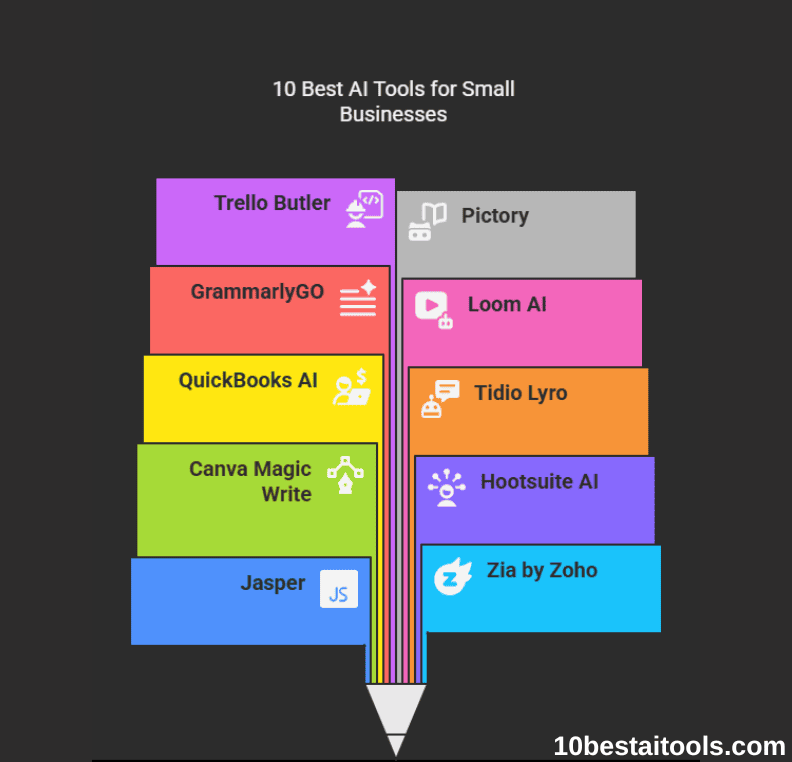
1. Jasper
Features: Generates blogs, ads, and emails; optimizes SEO.
Pros: Saves hours on content creation; 50+ templates.
Cons: Requires editing for brand voice; 40/month adds up.
Pricing: Starts at 40/month and adds up.
Alternatives: Copy.ai (36/month), Writesonic (36/month), Writesonic (19/month).
Example Use Case: A local bakery automates blog posts and promotional emails.
Content creation is only one part of growth. Small businesses looking to convert leads into paying customers should also consider AI Tools for Email Marketing to automate outreach, personalization, and campaign optimization.
2. Zia by Zoho
Features: Automates CRM tasks, predicts sales trends.
Pros: Integrates with Zoho apps; actionable insights.
Cons: Steeper learning curve for non-tech users.
Pricing: 30/month (CRM bundle).
Use Case: A consultancy uses Zia to forecast Q4 revenue and auto-send follow-ups.
3. Canva Magic Write
Features: AI-generated design captions, slogans, and blog outlines.
Pros: Seamless with Canva’s design tools; dirt-cheap.
Cons: Limited to short-form content.
Pricing: 12.99/month (Pro Plan).
Use Case: A boutique creates holiday sale graphics + captions in minutes.
4. Hootsuite AI
Features: Schedules posts, analyzes engagement, and detects brand mentions.
Pros: Unified social dashboard; real-time analytics.
Cons: Higher tier needed for advanced features.
Pricing: 49/month (Professional plan).
Use Case: A fitness coach schedules a month of posts and tracks follower growth.
5. QuickBooks AI
Features: Auto-categorizes expenses, generates invoices.
Pros: Saves accounting headaches; tax-ready reports.
Cons: Limited customization for niche industries.
Pricing: 25/month (SimpleStart plan).
Use Case: A freelancer automates invoicing and tracks tax deductions effortlessly.
For businesses that rely heavily on reporting, forecasting, and performance tracking, reviewing dedicated AI Tools for Data Analysis can help improve decision-making through dashboards, predictive insights, and automation.
6. Tidio Lyro
Features: AI chatbot resolves FAQs, books appointments.
Pros: 24/7 support; easy no-code setup.
Cons: Struggles with complex queries.
Pricing: 29/month (Lyro add-on).
Use Case: An online store reduces ticket volume by 40% with instant order-tracking replies.
Businesses focused on improving response times and reducing manual ticket handling may also explore our detailed guide on AI Tools for Customer Support, which compares chatbot platforms, helpdesk automation software, and pricing models for growing teams.
7. GrammarlyGO
Features: Fixes grammar, adjusts tone (formal to friendly).
Pros: Real-time suggestions; browser extension.
Cons: Over-edits creative phrasing.
Pricing: 15/month (business tier).
Use Case: A startup polishes investor pitches and client emails to sound professional.
8. Loom AI
Features: Auto-generates video scripts, adds captions.
Pros: Perfect for async communication; user-friendly.
Cons: Limited video length on lower plans.
Pricing: 18/month (business plan).
Use Case: A remote team shares training videos with accurate captions for global members.
9. Trello Butler
Features: Automates workflows (e.g., move tasks, send reminders).
Pros: Visual and intuitive; Zapier integration.
Cons: Basic AI capabilities.
Pricing: $10/month (premium plan).
Use Case: An agency automates client onboarding tasks and deadline alerts.
10. Pictory
Features: Converts blogs to videos, auto-edits footage.
Pros: Great for repurposing content; stock library.
Cons: Outputs can feel generic.
Pricing: 39/month (standard plan).
Use Case: A blogger turns “How-To” articles into YouTube tutorials in 20 minutes.
Monthly vs Annual Cost Comparison
Many AI tools offer discounted annual billing.
For example:
• Jasper: $40/month or discounted annual pricing
• Zoho CRM: Monthly or yearly plans available
• Hootsuite: Lower effective cost with annual subscription
Small businesses should evaluate whether long-term commitments align with cash flow stability before choosing annual billing.
How to Choose the Right AI Tools for Small Businesses
- Pinpoint Your Pain: Are you drowning in admin tasks? Focus on automation (Trello Butler). Struggling with content? Pick Jasper or Canva.
- Budget First: Stick to tools under $50, but watch for hidden costs (e.g., chatbots needing higher-tier plans).
- Integration Matters: Ensure it works with your existing tools (e.g., Zia + Zoho apps).
- Scalability: Will this tool grow with you? Avoid niche tools that can’t adapt.
- Free Trials: Test-drive! Most tools offer 7–14 days risk-free.
Pro Tips for Maximizing AI Tools for Small Businesses
- Start Small: Automate one process first (e.g., invoicing) before expanding.
- Combine Tools: Use Jasper + Canva for content, or Zia + QuickBooks for finance.
- Train Your Team: Host a 30-minute demo to ensure everyone’s on board.
- Track Metrics: Measure time saved, ROI, or customer satisfaction changes.
- Stay Updated: AI evolves fast—subscribe to newsletters for new features.
Ethical Considerations
- Data Privacy: Ensure tools are GDPR/CCPA compliant. Avoid sharing sensitive customer data.
- Bias Check: Audit AI outputs (e.g., chatbots) for unintentional bias.
- Transparency: Tell customers when they’re interacting with AI (e.g., chatbots).
- Sustainability: Choose providers with eco-friendly data centers.
When These AI Tools May Not Be Suitable
AI software under $50 per month may not be ideal for:
• Enterprises requiring custom AI infrastructure
• Highly regulated industries needing specialized compliance
• Businesses needing advanced data science capabilities
In such cases, enterprise platforms or custom AI development may be required.
ROI: When Do AI Tools Pay for Themselves?
AI tools typically deliver return on investment in three primary ways:
1. Time Savings
Automating invoicing, scheduling, or social posting can save 5–15 hours per week.
2. Revenue Growth
AI-driven CRM tools improve follow-ups and lead nurturing, increasing conversion rates.
3. Cost Reduction
Chatbots and workflow automation reduce the need for additional administrative hires.
For many small businesses, a $30–$50 monthly tool that saves even 5 hours per week can justify its cost quickly.
Integration & Compatibility: What Small Businesses Should Check
Before choosing any AI software, small businesses should evaluate how well it integrates with existing tools.
Key questions to consider:
• Does the tool integrate with your accounting software?
• Can it sync with your CRM or email marketing platform?
• Does it offer API access if you scale later?
• Are there additional costs for integrations?
For example, CRM automation tools often connect directly with email marketing platforms, while accounting software may integrate with payment processors and tax systems.
Poor integration can lead to data silos, duplicated work, and unnecessary subscription costs.
Hidden Costs to Watch Before Subscribing
While many AI tools advertise pricing under $50 per month, small businesses should review:
• Per-user pricing models
• Add-on feature costs
• AI usage limits
• Automation caps
• API access fees
For example, chatbot platforms may charge extra for higher conversation volumes, and CRM tools may increase pricing as your contact database grows.
Always compare:
Monthly vs Annual pricing
Per-user vs flat-rate pricing
Feature restrictions by plan tier
Understanding total cost of ownership prevents budget surprises later.
Small Business AI Decision Checklist
Before choosing an AI tool, confirm:
☐ Does it solve a specific operational bottleneck?
☐ Is the monthly cost sustainable for 12 months?
☐ Can your team realistically use it without technical training?
☐ Does it integrate with your current workflow?
☐ Is there a free trial available?
☐ Can you cancel without long-term commitment?
Small businesses benefit most when AI tools simplify operations rather than add complexity.
FAQs for AI Tools for Small Businesses
What is the average cost of AI tools for small businesses?
Most small business AI software ranges from $10 to $50 per month per user, depending on features and automation capabilities.
Are AI tools worth it for startups?
Yes, especially for marketing automation, invoicing, and customer support, where AI reduces manual workload and improves efficiency.
Can small businesses rely fully on AI automation?
AI should assist operations, but human oversight remains important for financial decisions, customer communication, and strategic planning.
Which AI tool offers the best ROI for small teams?
CRM platforms and accounting automation tools often deliver the highest return on investment due to their direct impact on revenue and cost control.
Can small businesses rely entirely on AI automation?
AI tools assist with repetitive tasks, but human oversight remains important for financial approvals, customer communication, and strategic decisions.
Is it better to use one all-in-one platform or multiple AI tools?
All-in-one platforms reduce integration complexity, but specialized tools often offer stronger feature depth. Small businesses should balance simplicity with performance needs.
Final Verdict: Choosing the Right AI Tool for Your Business
AI tools under $50 per month can significantly improve productivity, reduce manual workload, and increase operational efficiency when selected carefully.
Rather than subscribing to multiple tools at once, small businesses should identify their most time-consuming process and begin with one automation solution.
As your business grows, you can gradually expand your AI stack based on performance data and return on investment.
The goal is not automation for the sake of automation — but sustainable, scalable efficiency.
Latest Posts
- AI Sales Prospecting Tools for B2B Teams (2026 Comparison Guide)

- Best AI Tools for SaaS Companies (Complete Automation Stack 2026)

- Best AI Tools for SaaS Customer Support Teams (Pricing & Automation Guide 2026)